
To learn how to cash out crypto, sell on an exchange, let the proceeds sit as a cash balance, then withdraw to your bank. Bitcoin ATMs and wallet off-ramps usually cost noticeably more than an exchange sale.
This walk-through sits within our crypto guides for beginners. It ranks each route by speed and total cost, so you can pick one before you sell.
Before you start
- Know where your crypto sits. If it is already on the exchange you plan to sell on, you skip the transfer step. If it is in a separate wallet, you must send it in first and pay a network fee.
- Have a payout method ready. A linked bank account is the usual destination for a larger sale. Card and wallet payouts exist, but the fee schedules differ.
- Keep your security tools to hand. Exchanges ask for extra verification on withdrawals, so have your authenticator and phone available.
- Decide how much speed is worth. Faster, more convenient routes tend to cost more per sale. If you are not in a hurry, the cheapest route is the better default.
The outcome is cash in your bank account, with the fees known before you confirm the sale rather than discovered afterwards.
Steps to cash out crypto
Step 1: Choose the platform and route
Pick the route first, because it sets almost all of your cost. Selling through an exchange’s advanced trading screen is the cheapest common option. Yahoo Finance’s selling guide puts the cost for a retail investor at roughly 0.60% or less there. Convenience buttons such as instant sell can run closer to 1% or more once the spread is included.
Check the minimum sale size too. MoonPay, for instance, lets you sell as little as $20 in value, so small balances are not a barrier on every platform. If you would rather keep your holdings working than sell them, how to stake crypto covers the alternative.
Step 2: Move your crypto to the selling platform
Skip this step if your coins are already on the exchange. Otherwise, send them to your deposit address and choose the network with care. According to Coingape’s exchange fee guide, the withdrawal fee depends on the network used. It also notes that network fees go to miners, not to the exchange. Bitcoin network fees fluctuate a lot with demand, so a transfer that is cheap one day can be expensive the next.
When you send crypto out of a Crypto.com account, the platform’s withdrawal help page says a fee applies and is listed under Fees & Limits in the app settings. It adds that withdrawals are almost instant in most cases and should take no longer than 2-3 hours to process. Most exchanges, by contrast, charge no deposit fee, though bank transfer or card deposits can carry one.
For the fastest cash-out of bitcoin, the practical answer is to hold it on the platform you will sell on already. That way you avoid the variable network fee and the wait for the transfer. Your only speed question is then which sell route converts quickest. MoonPay describes its conversion from crypto to fiat as instant, for a fee.
Step 3: Place the sell order
Enter the amount you want to sell and review the quoted fee before confirming. Use the advanced screen if you want the lower cost, and the instant-sell option if you want simplicity and accept the higher spread. If you are unsure whether timing affects your order, do crypto markets close explains how trading hours work.

Step 4: Withdraw the cash to your bank
An exchange sale lets you sell your crypto for dollars and park the proceeds in a cash balance. You then withdraw that balance to your linked bank account. Holding the cash there for a moment gives you a chance to confirm the amount before it leaves the platform.
If you use a service like MoonPay, the fee depends on how you are paid. Its page lists transaction fees as low as 1% for bank transfers and 4.5% for Visa cards. For anything sizeable, the bank transfer is the better pick, since the card payout carries the higher rate.
Security prompts are normal at this stage. Crypto.com, for example, applies a 24-hour withdrawal lock on a newly added withdrawal address if the feature is enabled. Without a passkey, it asks you to verify withdrawals with 2FA and an SMS one-time passcode. Add your bank details or addresses before you need the money, not while you are waiting on it.
Step 5: Record the sale and check your tax position
Selling is the point where crypto becomes cash, so it is also the moment to save the details. Keep the sale amount, the date and the fees shown on your confirmation. Tax treatment depends on where you live, so check your local tax authority’s guidance on digital assets before you file. The route you choose changes your cost and speed, not your record-keeping.
Comparing the routes by speed and cost
Exchange sales are the cheapest and the most straightforward way to turn crypto into cash. Wallet off-ramps and bitcoin ATMs trade a higher cost for convenience or physical cash.
| Route | Typical cost | How it works | Planning use |
|---|---|---|---|
| Exchange, advanced screen | Roughly 0.60% or less | Sell, hold a cash balance, withdraw to bank | Best default for most sales |
| Exchange or app, instant sell | Closer to 1% or more after the spread | Conversion described as instant | Suits those who value speed and simplicity |
| Bank transfer payout (MoonPay) | As low as 1% | Sell, then receive funds by bank transfer | Cheaper payout than a card |
| Visa card payout (MoonPay) | 4.5% | Sell, then receive funds on a card | Only when you need that payout method |
| Wallet-based off-ramp | Roughly 2% to 5%, before spread and network fees | Sell directly from a wallet | Convenient if coins are in a wallet, but pricier |
| Bitcoin ATM | About 5% to 15%, some higher | Start the sale in an app, then use a cash code at a kiosk | Last resort when you want physical cash |
Cost ranges come from Yahoo Finance’s guide to selling crypto, while the bank and Visa payout fees are from MoonPay’s sell page.
The ranking is simple. For total cost, an exchange sale with a bank withdrawal wins. For speed, instant-sell conversion comes next, at a modest premium. The kiosk route is last on cost by a wide margin. If you are choosing between a slightly cheaper and a slightly faster option, take the cheaper one unless you need the money on a deadline.
Cash out at a bitcoin ATM or kiosk
Searching for crypto to sell for cash near me usually leads to a bitcoin ATM. The process described by Yahoo Finance is straightforward. With a service like Coinme, you typically start the sale in the app, receive a cash code, and enter that code at the ATM or kiosk to collect your money.
Whether ATMs are a good option depends on how much the convenience is worth to you. Cash-out fees there run anywhere from about 5% to 15%, and some are higher. Fees at bitcoin ATMs also tend to be poorly disclosed, and some operators have been investigated by state attorneys general. For a small, urgent amount where you need physical cash, an ATM can be acceptable. For anything larger, the fee difference against an exchange sale is too wide to ignore.
Fraud warnings and common mistakes
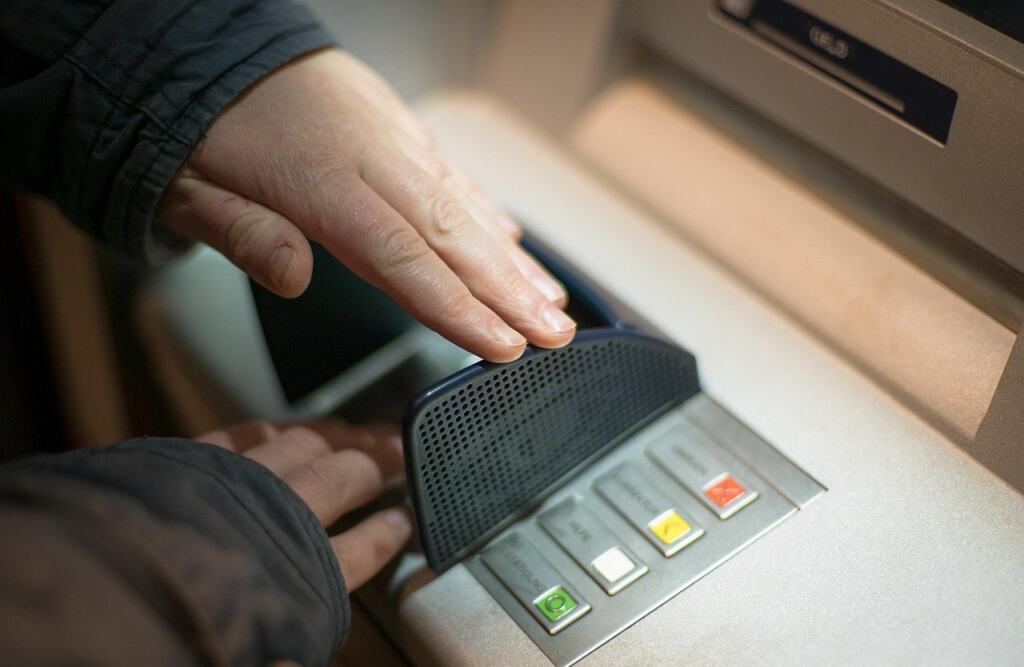
Crypto ATM fraud has drawn numerous warnings from consumer protection officials, so treat any request to move quickly with suspicion. If a stranger pushes you to meet in person, send a code or hurry a sale, stop and use a platform you trust instead. Rushing is also how people overlook a poorly disclosed fee.
- Selling on a convenience screen by default. The instant-sell button can cost closer to 1% or more, against roughly 0.60% or less on the advanced screen.
- Ignoring the network fee. If you are moving bitcoin to an exchange first, the fee changes with network demand, so check it before sending.
- Choosing a card payout out of habit. A Visa payout via MoonPay is listed at 4.5%, against as low as 1% for a bank transfer.
- Adding a withdrawal address at the last minute. A 24-hour lock can delay your withdrawal if the feature is on.

Final checkpoints before you confirm
| Checkpoint | What to confirm | Planning use |
|---|---|---|
| Sale size | Above the platform’s minimum, such as $20 in value on MoonPay | Avoids a rejected order on a small balance |
| Payout method | Bank transfer chosen over card where possible | Keeps the payout fee lower |
| Withdrawal address | Added in advance if a 24-hour lock applies | Prevents a delay on the day |
| Verification | 2FA and SMS code available to hand | Lets the withdrawal go through first time |
These checks reflect MoonPay’s sell terms and Crypto.com’s withdrawal guidance.
Frequently asked questions
Can I cash out crypto without paying taxes?
Tax rules depend on your country, and the route you choose does not replace them. Keep the sale amount, date and fees from your confirmation, and check your local tax authority’s guidance on digital assets before filing.
What is the smallest amount I can sell?
It varies by platform. MoonPay states that you can sell as little as $20 in value, so check the minimum on whichever service you use.
Which payout methods are available besides a bank transfer?
MoonPay lists Visa and Mastercard, bank transfer, PayPal and Venmo, with Venmo available in the US only. Fees differ by method, so compare them before choosing.
Why does my withdrawal ask for extra verification?
Exchanges add checks to protect your account. Crypto.com, for example, requires 2FA and an SMS one-time passcode when you have no passkey, and it can lock a newly added address for 24 hours if that feature is enabled.