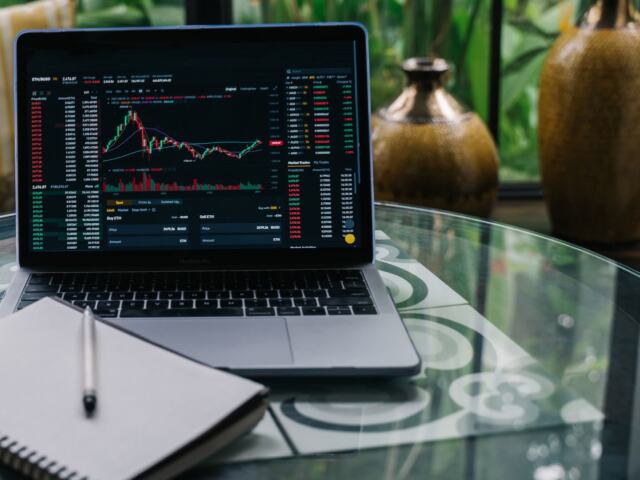
Quick answer: This Kraken review finds that the simple Kraken interface suits beginners, while Kraken Pro suits active traders who want an order book and lower fees. Check verification limits and withdrawal costs before funding.
The choice between the two interfaces drives most of what you pay. This guide scores Kraken on the same criteria as the other crypto exchange reviews on the site: fees, security, coin access and the cost of getting money out.
Kraken or Kraken Pro: choosing your interface
Kraken is the simple interface, and Kraken Pro adds real-time order books, charting and complex order types, according to Koinly’s Kraken review. The same review warns that the Pro interface may be complex for beginners. Spot trading is available through both, but the price you pay differs sharply.
Three criteria settle the choice:
- Order control. If you need limit orders, depth information or advanced order types, Pro is the only sensible surface. CryptoSlate calls Kraken Pro the decisive trading surface because it supplies the order book and advanced orders.
- Cost sensitivity. Simple buys carry a surcharge on top of the market price. Pro uses its own fee tiers, which are separate from app pricing.
- Comfort level. If an order book screen feels like a barrier, the simple interface lets you buy without learning one, at a higher cost.
| Interface | What you get | Cost structure | Planning use |
|---|---|---|---|
| Kraken (simple) | Straightforward buy and sell screens | 1% to 1.5% plus spread on simple buys | Fine for an occasional small purchase where convenience matters more than price. |
| Kraken Pro | Order book, charting, advanced order types | Fee tiers separate from app pricing, described as lower than the standard platform | The better default for anyone who will trade repeatedly or cares about execution cost. |
Figures are drawn from CryptoSlate’s Kraken review and Bitkan’s fee guide.
A sensible path for newcomers is to start in the simple interface with a small amount, then move to Pro once order books stop looking unfamiliar. The fee gap is what makes the move worthwhile.
Kraken fees in practice
Simple buys and the spread
Simple buys add 1% to 1.5% plus spread, per CryptoSlate. Bitkan adds that a spread cost is applied to Instant Buy and Sell transactions, so the displayed price already includes part of what you pay. That makes the simple interface hard to price precisely before you confirm.
Spot trading on Pro
Traders Union puts the base spot trading fee at 0.25% for makers and 0.4% for takers. It lists the industry average at 0.15% for makers and 0.194% for takers. Kraken’s entry-level rates therefore sit above that average, and heavier traders are the ones who benefit from the tiers. A maker order adds liquidity by resting on the book. A taker order fills immediately against existing orders and costs more.
Kraken vs Coinbase: how to compare costs
The fairest Kraken vs Coinbase comparison matches like with like. Set Kraken’s simple buy against Coinbase’s simple buy, and Kraken Pro’s maker and taker fees against Coinbase’s order-book fees, and include the spread in both. Comparing Kraken’s headline Pro rate to another platform’s all-in simple-buy price will flatter whichever side has the lower sticker number.
On Kraken’s side, the benchmark is clear. The base 0.25% maker and 0.4% taker rates are above the industry average quoted by Traders Union, and the simple-buy surcharge sits on top of the spread. Pull Coinbase’s current fee schedule from its own pricing page and run both through the same order type before you decide.

Security and proof of reserves
Kraken describes itself as holding 95%+ of customer funds in air-gapped cold storage, as Koinly reports. The exchange was founded in 2011 and has run publicly since its official launch. Koinly also lists mandatory two-factor authentication (2FA) and ISO/IEC 27001 and SOC 2 Type I certifications.
These points describe how Kraken operates, and they are meaningful controls. They are not themselves a proof-of-reserves attestation, which is a separate check that an exchange’s holdings cover customer balances. Look at Kraken’s own published reserve audit for the latest version before you treat any exchange as safe for large balances, and spread significant holdings into your own wallet rather than leaving them on any platform.
On your side, two-factor authentication is not optional on Kraken, so set it up with an authenticator you control and keep your recovery codes offline.

Supported coins
Kraken supported coins vary by region and by interface, so the listing that matters is the one visible in your own account. Because Kraken Pro is where order-book trading happens, check there that the asset you want has a market in the pair you intend to trade before you deposit.
Make the check before sending funds. A coin that appears on a marketing list but not in your jurisdiction’s trading pairs is a common source of failed plans, and a short note of your target tickers makes it quick to confirm.

Withdrawal limits and verification tiers
Kraken ties deposit and withdrawal limits to verification level, so complete the level that covers the amount you plan to move. Confirm the current tier amounts on Kraken’s limits page before funding, because they can change and differ by region.
What does not depend on tier is the cost of the withdrawal route and the holds that apply to funding:
| Route (US) | Cost or condition | Planning use |
|---|---|---|
| ACH withdrawal | Free | Best for non-urgent transfers where speed does not matter. |
| FedWire | $4 | A small flat cost that suits larger amounts. |
| Eligible RTP | Near-instant, 1.5% capped at $50 | Worth it only when speed matters, and mainly for smaller transfers, where the percentage stays below the cap. |
| Plaid ACH amounts | Seven-day hold | Plan around the delay before you intend to trade or withdraw those funds. |
Costs and holds come from CryptoSlate’s Kraken review.
The percentage on RTP is capped, so it becomes a worse deal per dollar as amounts shrink only until the cap bites. For large sums, FedWire’s flat fee is the more predictable choice.

Troubleshooting common problems
- Funds are not available to trade. A Plaid-linked ACH deposit carries a seven-day hold, so the delay is expected rather than a fault. Wait it out or fund by another route.
- Prices look worse than the market. Simple buys include a surcharge plus spread. Place the same trade on Kraken Pro, where fees follow maker and taker tiers.
- The Pro screen is overwhelming. Return to the simple interface for small purchases and revisit Pro when you want order control.
- A withdrawal needs to arrive quickly. Eligible RTP is near-instant, but weigh its percentage fee against the cap in the table above.
Who Kraken suits
Kraken fits traders who will use Kraken Pro, value regulated-style security controls and mandatory two-factor authentication, and can plan around bank holds. Beginners making occasional buys can use the simple interface but should accept that convenience costs more. If Kraken’s fees or coin list do not fit, compare it with our binance review or the swap-focused changelly review.
Frequently asked questions
Does Kraken charge fees for deposits?
Kraken generally does not charge fees for deposits, particularly for cryptocurrency transfers, according to Traders Union. Your bank or network may still apply its own charges.
Do Kraken’s trading fees fall as I trade more?
Yes. Traders Union reports that at $5M in 30-day volume the spot fee drops to 0.02% for makers and 0.12% for takers, well below the base rates.
When did Kraken launch?
Kraken was founded in 2011 and officially launched in 2013, per Koinly.